
Every vendor relationship your company has starts the same way: a contract lands in Legal's inbox with no context, no priority signal, and no clear owner. Procurement has already automated its side with workflows for purchase orders, invoice matching, and vendor portals. But when the agreement reaches Legal, it hits a wall.
That wall is not a people problem. It’s an infrastructure problem. Legal teams handling ten, twenty, or thirty vendor reviews a month rarely have the intake systems, routing logic, or visibility tools to match the pace procurement expects.
This article breaks down what procurement process automation actually looks like from Legal's perspective. We’ll talk about where the delays live, what fixes them, and what a well-run vendor workflow looks like.
Key Takeaways
- Procurement automation tools handle purchasing workflows well, but they do not solve Legal's side of the equation. Legal needs its own intake and routing infrastructure.
- Most vendor review delays are not caused by Legal working slowly. They are caused by unstructured intake, missing information, and broken approval chains.
- Triage logic, not just automation, is what allows Legal teams to treat a low-risk vendor NDA differently from a high-risk data processing agreement.
- Visibility data, who has the ball and for how long, is the most underused tool Legal departments have for changing how the business perceives them.
- Streamline AI was built specifically for in-house Legal teams managing high volumes of requests, such as vendor reviews. Book a demo to see how Legal teams at companies like Grammarly, 8x8, and Logitech run their vendor workflows without the chaos.
What Procurement Automation Actually Means for Legal Teams
When people talk about procurement automation, they typically mean the finance and operations side of buying: requisitions, purchase orders, invoice processing, and spend analytics.
That conversation has been going on for years, and the tools have matured significantly. But Legal's role in the procurement lifecycle rarely gets addressed in those conversations, which is part of why the problem persists.
For in-house legal teams, procurement automation is not about POs or payment rails. It is about having a reliable, repeatable system for handling the legal work generated whenever a new vendor relationship starts.
The Procurement Lifecycle and Where Legal Gets Pulled In
A typical vendor engagement works like this: a business team identifies a vendor they want to work with, procurement evaluates and approves the spend, and then the vendor sends over a contract or procurement routes an existing template to legal for review.
That’s where legal enters the picture, and it is almost always without a structured intake mechanism.
The types of vendor requests legal handles vary widely. A single vendor relationship might involve a master service agreement, a data processing agreement, a statement of work, an NDA, or a combination of all four.
Each of those documents has a different risk profile, involves different stakeholders, and requires different levels of legal attention. When they all arrive the same way, as an email attachment or a Slack message, there is no system to distinguish between them before someone on the legal team opens them.
Why Generic Procurement Tools Do Not Solve Legal's Problem
Platforms like Coupa, SAP Ariba, and Zip do a decent job of automating the purchasing side of procurement. They route approvals, track spending, manage vendor databases, and surface compliance issues on the finance side.
But when a vendor agreement is ready for legal review, those platforms typically just send a notification or attach the document to a request. What happens next is Legal's problem.
That is a meaningful gap.
Legal needs intake logic that captures structured information before work begins. They need to determine the contract type, vendor name, data-handling scope, dollar value, urgency, and relevant stakeholders. Legal needs triage rules that sort requests by risk and automatically route them to the right attorney.
And legal needs visibility into where every request stands at any given moment. Procurement tools are not designed to provide any of that, because they were not built for how legal teams work.
The Real Bottlenecks in Vendor Workflow Automation
The phrase "legal is a bottleneck" gets used a lot inside companies, and it is almost always misdiagnosed.
In most cases, vendor review slowdowns are not caused by legal being slow to review. They are caused by structural failures that happen before, around, and after the review itself. Here is where those failures actually live.
Unstructured Intake Creates Hidden Delays
When a procurement team submits a vendor review request via email, they typically include whatever information they happen to think legal needs. That is rarely everything legal actually needs.
An attorney opens the email, reads the attached agreement, realizes the data-handling scope is unclear, sends a follow-up email to procurement, waits for a response, and then begins the actual review.
That back-and-forth adds days to the cycle time before the legal work even begins. When this pattern repeats across dozens of vendor requests per month, the cumulative delay is significant.
Structured legal intake forms solve this at the source. When procurement submits a vendor review via a form that requires contract type, counterparty information, data handling scope, and urgency level before submission, legal receives a complete, actionable request every time.
The review starts immediately because the information is already there.
No Triage Logic Means Every Request Feels Equal
Without a classification system, a vendor NDA and a complex SaaS data processing agreement both show up in the legal queue at the same priority level. A junior associate might spend three hours on a routine NDA, while a high-risk DPA with a foreign vendor sits in limbo because no one flagged it as urgent.
Triage logic changes that by automatically classifying requests based on the information captured at intake. A well-designed legal intake and triage system can sort vendor reviews by:
- Contract type (NDA, MSA, DPA, SOW)
- Dollar value threshold (e.g., contracts above $50K route to senior counsel)
- Data sensitivity (any request involving personal data triggers additional review steps)
- Vendor classification (first-time vendor vs. previously approved vendor)
- Urgency level as flagged by procurement
This kind of logic means that low-complexity vendor agreements move through a streamlined process, while high-risk ones automatically escalate without a legal ops coordinator manually sorting through a shared inbox every morning.
Approval Chains That Stall Without Automation
Vendor agreements rarely need only one person to sign off. A standard vendor review might require input from legal, a business owner, finance, and sometimes security or IT. When that approval chain runs through email, it stalls every time someone is traveling, out sick, or simply has too many messages to get through.
Automated approval workflows remove the dependency on any single person responding in sequence.
When one approver completes their step, the system automatically routes the request to the next stakeholder. If someone has not acted within the defined SLA window, the system escalates. Every action is time-stamped and recorded without anyone manually chasing status.
This is one of the places where legal workflow software built specifically for in-house teams makes the most material difference.
Generic project management tools can technically route tasks, but they do not understand legal-specific approval logic, such as parallel reviews, conditional branching based on contract value, or automatic escalation to outside counsel for specific risk triggers.
Lack of Visibility Turns Legal Into a "Black Box"
One of the most persistent complaints procurement teams have about legal is that they cannot tell where their request is.
It went into legal's inbox a week ago, and no one has heard anything. From legal's side, the request might be sitting with an outside reviewer, awaiting a response from the counterparty, or simply buried among 30 other requests with no visibility outside the legal team.
Neither side has a clear picture, and that ambiguity breeds frustration. Procurement assumes legal is holding things up. Legal knows that is not the full story, but they cannot prove it without data. This is the "black box" problem that creates the bottleneck perception even when legal is doing everything right.
The cost of operational inefficiency for legal teams is not just time. It is the political capital lost when the business believes legal is the reason deals and vendor relationships are moving slowly.
| Bottleneck | Root Cause | Manual Reality | With Automation |
|---|---|---|---|
| Unstructured intake | No required fields before submission | Attorneys spend time chasing missing info | Structured forms capture complete info at submission |
| No triage logic | All requests treated the same | High-risk reviews buried under routine work | Rules-based routing assigns priority and attorney automatically |
| Broken approval chains | Email-based sequential approval | One unresponsive approver stalls everything | Next stakeholder is auto-notified; SLA breach triggers escalation |
| Visibility gaps | No shared tracking system | Both legal and procurement operate blindly | Real-time dashboards show request status, holder, and time elapsed |
| SLA accountability | No defined response windows | No way to measure or enforce turnaround time | SLAs set by contract type; overdue requests flagged automatically |
| Bottleneck attribution | No data on where delays actually occur | Legal gets blamed regardless of actual cause | Time-stamped activity log shows exactly where each request sat and for how long |
How Procurement Process Automation Changes Legal's Workflow Day-To-Day
The operational picture described above can feel abstract until you see what it actually looks like on a day-to-day basis. The shift from ad-hoc vendor review management to structured vendor workflow automation changes how legal spends its time at the task level, not just the systems level.
Structured Intake Forms Replace the Email Free-For-All
The first thing that changes when automating legal intake processes is where vendor review requests begin.
Instead of a procurement manager emailing an attorney directly or pinging legal in Slack with "can you review this?", every vendor review request starts in a structured form that enforces complete information before submission.
For vendor reviews specifically, that form might require the business team to specify:
- Vendor name and website
- Type of agreement request
- Whether the vendor will access company or customer data
- Estimated contract value and duration
- Target execution date
- Business owner and appropriate cost center
When this information is collected at intake, the legal team begins every vendor request with full context. There is no back-and-forth email thread required before legal review begins, and the intake data becomes searchable and reportable over time.
Auto-Routing Gets Requests to the Right Attorney Immediately
The second operational shift occurs immediately after a request is submitted. In a manual environment, a legal ops coordinator or a senior attorney typically decides who will handle each request. That decision takes time, requires judgment, and is a single point of failure when key people are out.
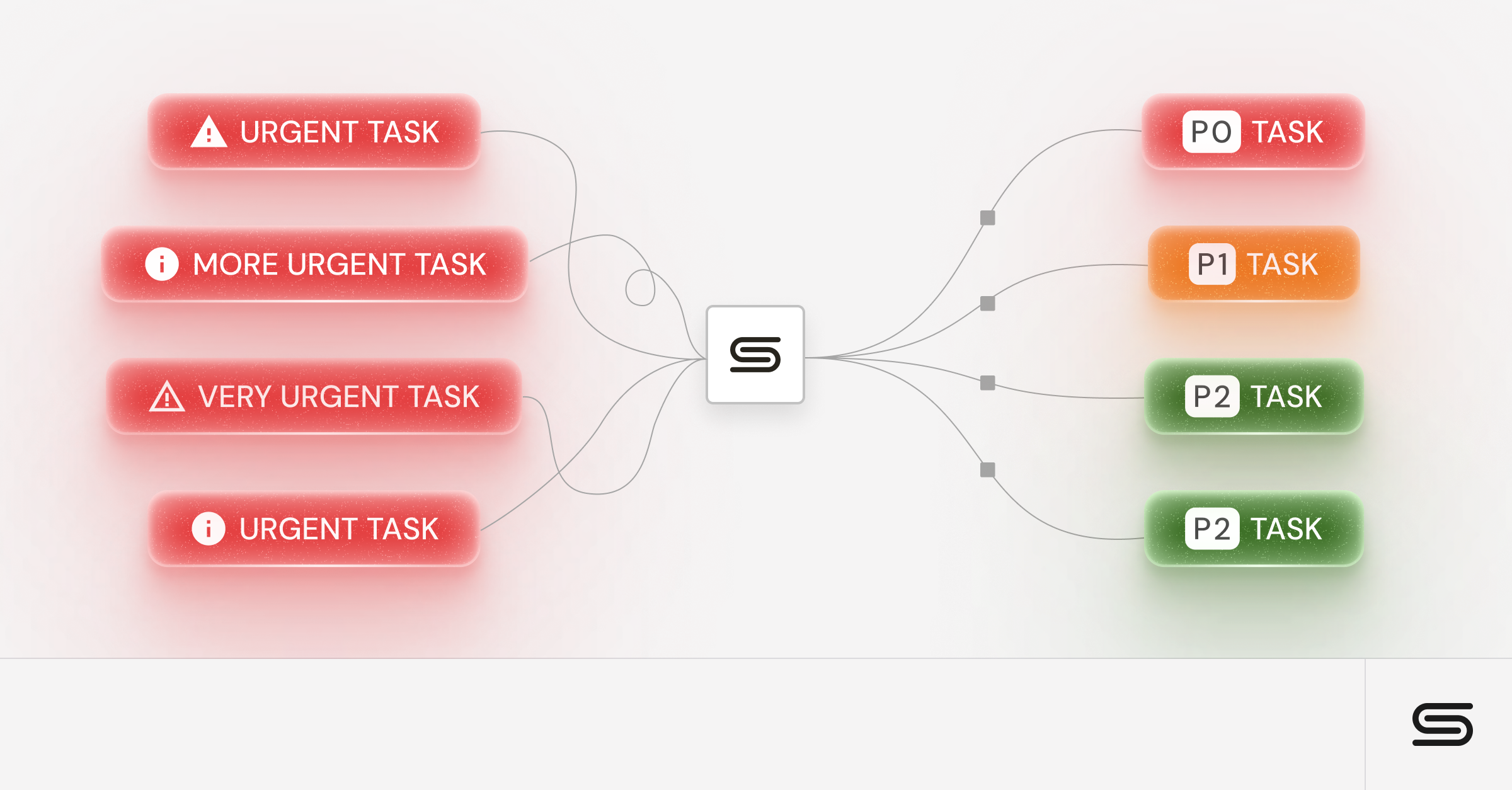
Rules-based legal request routing eliminates that bottleneck by automatically applying routing logic based on intake form data.
A DPA involving EU personal data routes to the privacy attorney. A vendor agreement above $100K routes to senior counsel. A routine NDA from a previously approved vendor type routes to a paralegal for initial review. None of this requires human intervention. The rules fire the moment the form is submitted.
This kind of routing also supports better legal project management, because work is distributed based on defined criteria rather than whoever happens to be checking email at the right moment.
SLA Tracking Keeps Vendor Reviews Honest on Both Sides
One of the most underappreciated features of automated vendor workflow systems is what SLA tracking reveals over time.
When every vendor review request has a timestamp at each stage, submitted, assigned, under review, waiting on counterparty, waiting on business approver, and completed, you get a full timeline of every request.
That timeline does not just help legal manage its workload. It changes the narrative when procurement or leadership raises questions about review timelines. If a vendor agreement took eighteen days from submission to execution, the data shows exactly where those eighteen days went.
Legal often finds that attorneys spend a median of two to three days on actual review, while the remaining time is distributed across procurement-side approvals, counterparty negotiations, and business owner sign-off delays.
That data directly addresses the perception problem. It is the difference between legal defending itself in a meeting and legal presenting a slide showing that the requestors held the ball for eleven of eighteen days.
Tracking legal team productivity with this level of specificity is only possible when vendor review workflows run through a system that records activity at each step.
What Legal Needs From a Vendor Workflow Automation System
Not every legal workflow tool is built with vendor review in mind. When evaluating legal operations software for managing vendor workflows, legal leaders need to look beyond the feature list and assess how the system addresses the operational demands that vendor review creates.
It Has to Handle More Than Just Contracts
The first requirement is scope. Many contract lifecycle management tools automate vendor review steps effectively. They handle drafting, redlining, approval, and execution.
But vendor-related legal work does not stop at the contract. A new enterprise software vendor might trigger a data privacy review, a security assessment request routed through IT, and a compliance check for a regulated industry. Those requests are not contracts, but they are still legal work that needs to be tracked.
A vendor workflow automation system built for legal needs to handle all of these request types and not just the ones that produce a signed document. If non-contract vendor requests fall outside the system, they revert to email, and the problem recurs.
Integrations Matter More Than Features
The second requirement is integration depth. Legal teams handle vendor review requests that originate from many places, such as a procurement platform, a Salesforce opportunity, a Slack message from the CFO's office, or a form submission from an external stakeholder.
If the legal workflow system requires requestors to log in to a new platform and learn a new interface to submit requests, adoption will be partial at best.
The most effective legal tech stack configurations work because legal's system meets requestors where they already are. Procurement teams can submit vendor review requests through Salesforce or email without ever opening the legal platform.
Legal receives a structured, routed request in its own interface. The requestor stays in their workflow; legal stays in theirs.
Consider these integration priorities when evaluating a vendor workflow automation tool:
- Slack or Microsoft Teams integration for request submission
- Email intake that converts unstructured messages into structured requests
- Salesforce integration for procurement and sales-originated requests
- CLM integration for contracts that need to move from review into execution
Reporting Has to Prove Legal's Value to the Business
The third requirement is reporting. This is the capability that matters most to legal leaders trying to change the narrative around legal's role in vendor timelines.
A system that tracks activity but cannot produce clean reporting on turnaround times, request volume by vendor type, and where delays occur, does not give Legal the tools it needs to make its case to leadership.
The most useful legal department metrics for vendor workflow performance include:
- Average time from submission to assignment
- Average time from assignment to first action by legal
- Average time requests sit with non-legal approvers
- Request volume by vendor category and contract type
- SLA compliance rate by request type and team member
When these numbers are visible and reportable, legal operations leaders can have a completely different conversation with CFOs, CEOs, and procurement leadership about what is actually driving vendor review timelines.
Why Streamline Eliminates the Vendor Workflow Chaos
The systems gap described throughout this article, where procurement tools hand off to legal with no infrastructure on the other side, is exactly the problem Streamline AI was built to solve.
Streamline is an AI-powered legal operations platform designed specifically for in-house legal teams that need to manage high volumes of requests, including vendor reviews, without adding headcount.
When a vendor review request comes in through Streamline, it is captured through a structured intake form that can be embedded in email, Slack, Salesforce, or a direct link shared with procurement teams. The intake form enforces complete information before the request reaches legal's queue.
From there, configurable routing rules assign the request to the right attorney based on contract type, risk level, or dollar value — automatically and immediately.
Approvals are automated through defined workflow chains that escalate if someone misses their SLA window. Legal and procurement can both see where every request stands in real time through a shared dashboard.
And at any point, legal leadership can pull reporting that shows request volume by vendor category, average turnaround time, and where delays are actually occurring.
Most Streamline customers are up and running in weeks, not months, with support from a customer success team that legal teams consistently rate as best-in-class.
The front door to your legal team does not have to be a flooded inbox. Book a demo to see how Streamline can bring structure, speed, and visibility to your vendor review workflows starting in weeks.
Frequently Asked Questions About Procurement Automation for Legal Teams
What Is the Difference Between Procurement Automation and Legal Workflow Automation?
Procurement automation refers to tools that streamline the purchasing process, such as purchase order generation, invoice matching, vendor onboarding portals, and spend analytics. Legal workflow automation refers to systems that manage the processing of legal requests, including receipt, triage, routing, and tracking. The two often overlap in vendor review, but they serve different operational functions and are rarely provided by the same platform.
How Does Legal Intake Software Help With Vendor Reviews?
Legal intake software captures structured information from procurement and business teams before a vendor review request reaches an attorney. Instead of an unstructured email, legal receives a request with the contract type, vendor details, data handling scope, dollar value, and urgency already filled in. This eliminates the back-and-forth that typically delays the start of the review and allows the routing logic to automatically assign the request to the right attorney.
What Types of Vendor Requests Should Legal Teams Automate First?
The best starting points are high-volume, low-complexity request types with clear routing logic. Vendor NDAs, standard SaaS agreements below a defined dollar threshold, and DPAs for vendors that follow a pre-approved template are all strong candidates for early automation. These requests benefit most from structured intake and automatic routing because they follow predictable patterns and do not require senior attorney judgment at the triage stage.
How Long Does It Take to Implement a Legal Workflow Automation Tool?
Most modern legal workflow platforms are designed to set up in weeks rather than months. The implementation timeline depends primarily on the number of workflow types to be configured and the number of required integrations. Teams that start with one or two request types — like vendor reviews and NDAs — and expand from there typically see meaningful operational improvements within the first four to six weeks.
Can Small Legal Teams Benefit From Vendor Workflow Automation?
Yes, and in many cases, the benefit is proportionally greater for small teams because each attorney is handling a broader range of request types. A three-person legal team fielding vendor reviews, employment agreements, and compliance requests simultaneously has the most to gain from systems that eliminate administrative overhead. The time saved on tracking, chasing information, and manually routing requests adds up quickly when there is no legal ops function to absorb that work.
.avif)