Key takeaways
- A legal AI agent is a set of skills and workflows built on your own playbooks. It does the first pass, and a lawyer reviews the work at the end.
- You don’t need a technical background. An enterprise AI account, one small task, and your own precedent are enough to start.
- Once your playbook is ready, a working contract review skill can take minutes to build.
- Build human review into the process. Margin comments on every AI edit make a lawyer open the document and clear each one before anything goes out.
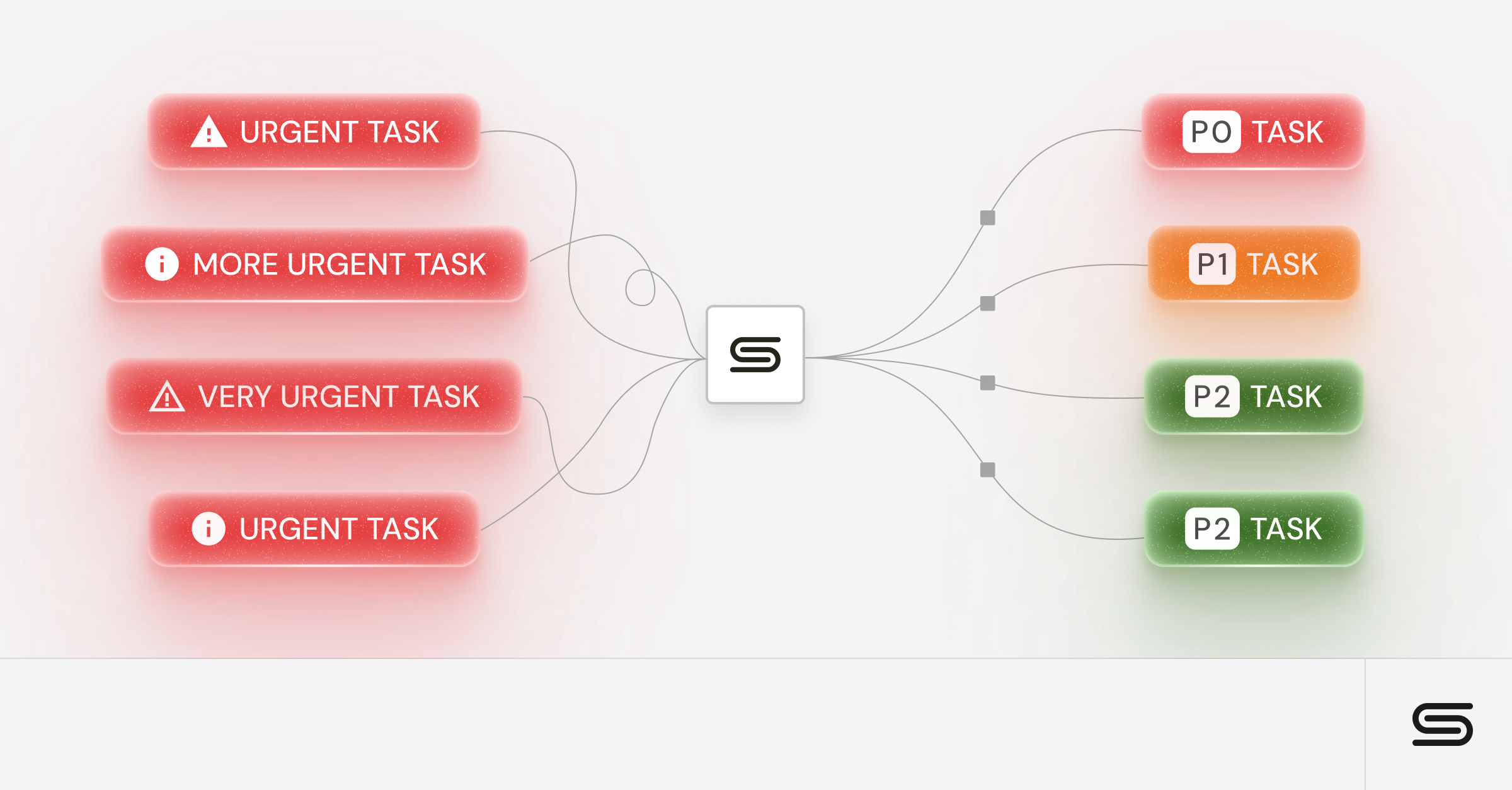
- Connect the agent to your legal intake so requests arrive organized and finished work goes back to the requester.
Most in-house legal teams have more requests than lawyers, and the budget to hire rarely keeps up. Tools like Claude Cowork and OpenAI’s Codex now let lawyers without an engineering background build AI agents that take the first pass on routine work. The lawyer still makes the final call.
This guide covers which work to hand to an agent, what you need to start, the five steps to build one, and the guardrails that keep the work safe to send.
Which work to hand to an agent
Start by sorting your team’s work into two groups. The first is high-volume, repeatable work: NDAs, routine commercial contracts, intake triage, status requests, outside counsel invoices, and tracking legislation or litigation. The second is work that depends on a lawyer’s expertise and judgment.
Agents are a strong fit for the first group. Your job there becomes checking that the agent applied your rules and playbooks correctly. That frees up time for the second group.
Some teams use the same split to guide hiring. They spend headcount on specialists in the areas where a mistake costs the most, and send everything else to agents first.
What you need to build your first agent
- An enterprise AI account. Personal accounts can use what you enter to train models, which puts client information at risk. An enterprise account keeps your data out of model training.
- A small, clear first task. Commercial contract review is a good one.
- As much of your own precedent as you can gather. Better data gives more precise results that sound like you.
- Curiosity. Talking to an AI feels strange at first. Most people get fluent quickly, whether they type or use voice.
You don’t need an engineering or computer science background. You build everything by describing what you want in plain language.
Four terms to know
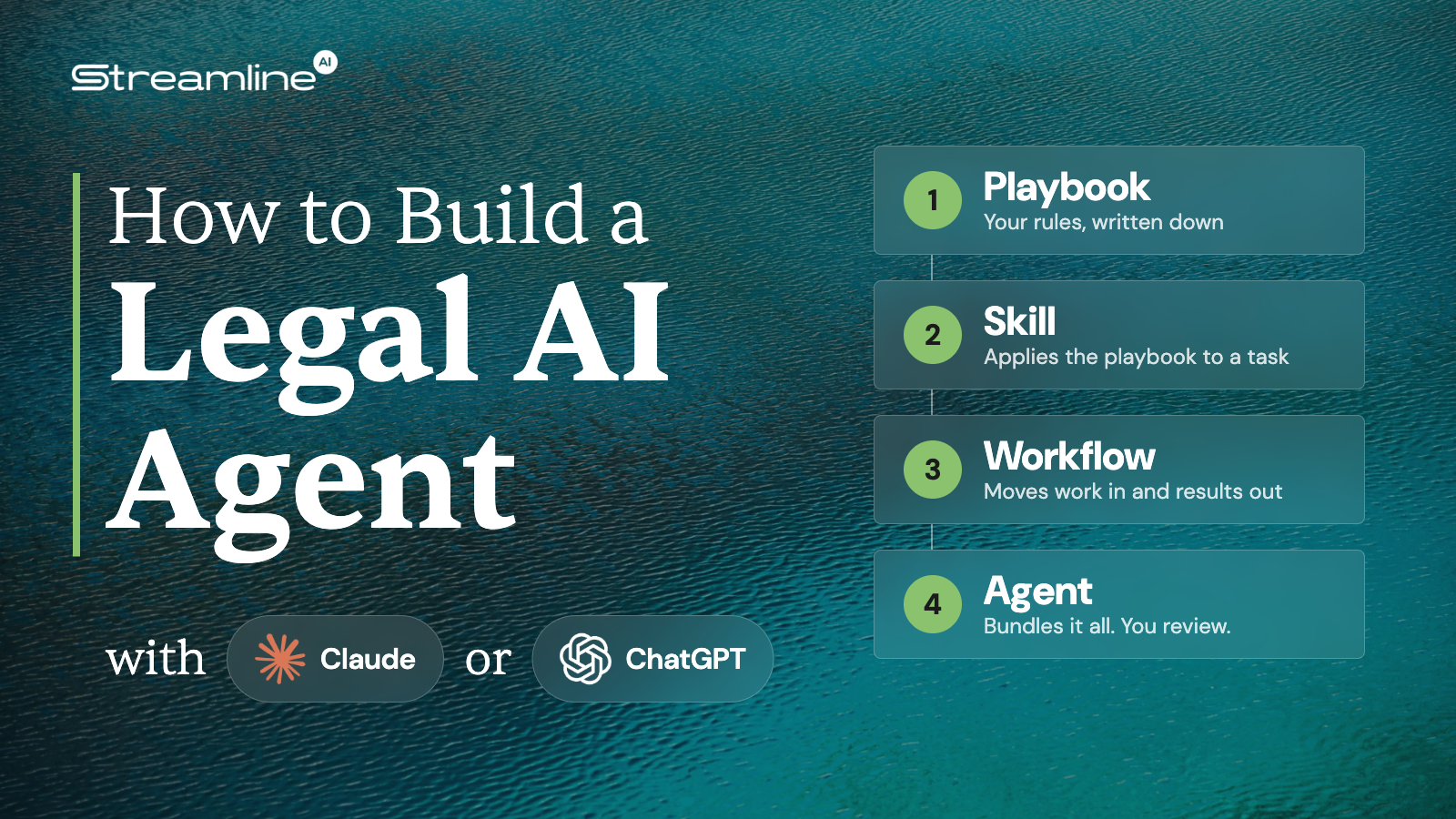
- Playbook: a set of rules the AI applies to a task. Example: how you usually mark up a SaaS agreement.
- Skill: a defined task you hand to the AI, which applies a playbook. Example: a contract review skill that applies your SaaS playbook and produces a redline.
- Workflow: a sequence of steps around a skill that gets work in and results out. Example: pull a request from intake, run the skill, and return the result to the requester.
- Agent: a bundle of skills and workflows, so you step in only at the end to review. Example: an agent that takes a contract request from intake all the way to a redline.
If you lose track of where a skill ends and a workflow begins, ask the AI to explain the difference. It’s good at it.
The five steps to build an agent
- Capture your judgment in a playbook.
- Create a skill that applies the playbook.
- Add workflows that get work into the skill and results out of it.
- Bundle related skills and workflows into an agent.
- Test it, and keep checking that it works the way you intend.
Start with one playbook and one skill. Add the rest over time as each piece proves itself.
Step 1: Capture your judgment in a playbook
A playbook turns your process into a document: rules drawn from precedent, best practices, and your own instincts. To build one for a contract type, such as SaaS agreements:
- Connect your email, Slack, and document system.
- Ask the AI to review past deals from first draft to final, including interim drafts, so it learns the give and take with opposing counsel.
- Ask it to write the resulting rules into a Word or Google doc.
With plenty of data connected, this takes about half an hour. Expect the first pass to be roughly 80% right, and read it carefully. The AI can overweight patterns from older work. One lawyer with an M&A background found his first playbook putting heavy emphasis on assignment clauses in a merger. Edit the playbook until it matches how you work today.
No precedent to work from? Ask the AI to interview you about how you usually review a contract, and have it build the playbook from your answers.
Step 2: Create a skill that applies the playbook
Describe the task the way you would explain it to a new colleague: how a request reaches you, what you look at, and what you send back. Attach the playbook and tell the AI to apply it. When it’s unsure, it will ask questions and turn your answers into rules.
Three design choices make the output more useful:
- Red, yellow, and green issues. Ask the AI to rate each issue against the playbook and put only the red, highly material issues in the redline. That keeps the redline useful to the business and keeps you out of the weeds on minor points.
- A summary memo. Have the AI write a short memo for the business alongside the redline.
- Margin comments. For each edit, have the AI add a comment that explains the change and cites the section of the playbook behind it.
Once the playbook exists, this step is fast. A working skill can produce a summary and redline of a SaaS agreement in minutes, flagging the issues your playbook covers, such as a missing right to return or delete customer data.
Watch it built live. In this GC Collective workshop, James Cosgrove, who leads the legal team at CookUnity, and Evan Michalski, a principal solutions architect at Streamline AI, build a contract review skill in about nine minutes. Then they run a full agent that pulls a marketing agreement from intake and returns a redline and summary in under seven minutes.
Step 3: Add workflows that get work in and results out
A workflow handles the steps around a skill. Workflows often connect to other tools, and they can run on a schedule.
The most valuable connection is to your legal intake. When every request runs through one intake tool, it arrives categorized and complete, whether the requester started in Slack, email, or a portal. Your AI tool can then connect to intake through MCP, a connection that lets the AI pull in requests and work with them directly. MCP is more reliable than a browser connection, which tends to time out. It also runs both ways, so finished work goes back to intake, where the requester and the rest of the team can see it.
Workflows also help with the admin around legal work. Outside counsel invoices are a good example. A weekly workflow can sweep your email for invoices, sort costs by type of work, combine them into one message with a standard cover note, and send it to accounts payable.
Step 4: Bundle skills and workflows into an agent
An agent that picks up work on its own saves far more time than a skill you start by hand. Once you have a few skills, such as playbooks for NDAs, MSAs, DPAs, and marketing agreements, bundle them with your intake workflow. On a schedule, the agent sweeps new requests and hands each one to the right skill. Helper connections, like a tool that converts PDFs to Word, can run before review.
Then set aside a block of time each day to review. Open your AI tool, go through the new items, and check each redline. When one is ready, tell the AI to post it back to intake, which notifies the requester.
Save drafts wherever your team already keeps documents. An agent can create a project folder for each matter in Google Drive or another document system. If you use a CLM, many offer connectors that fit into the same process.
Step 5: Test it and keep it working
- Keep testing. Throw different scenarios at your skills and workflows. Ask the AI to review them and suggest improvements.
- Ask the AI to optimize for token use. Otherwise it can rebuild the whole process every run and burn through your budget.
- Keep your skills portable. If another AI provider offers a better price, ask your current tool to export your skills and workflows, then import them into the new one. You keep the functionality you built.
- Share your agent with the team. Many enterprise AI tools let IT set up an internal marketplace, so everyone downloads the latest version of your skills and works from the same rules.
Build human review into the design
Treat review as part of the agent from day one. Margin comments are a simple way to enforce it. A lawyer has to open the document and clear each comment by hand, so nothing goes out unreviewed. It works the way a partner reviews a junior lawyer’s draft: the reviewer owns the result.
Review catches real mistakes. One team that is often the vendor in B2B deals saw the AI apply its vendor playbook in reverse and recommend terms that would have hurt the company. The lawyer caught it before it reached the business.
Set approval boundaries in your workflows too. Your agent should never send a deliverable out without a lawyer’s sign-off.
Keep citations honest
AI tools can cite law that is out of date or doesn’t exist. Connect a legal research service, such as vLex, and require the agent to check every legal proposition and citation against it. Spot check the results yourself.
Where to start
For a first agent, keep it simple:
- Pick one annoying task and start talking to the AI about how to fix it.
- Tell it what the deliverable should be.
- Build in a human review gate, to stay on the right side of your ethical obligations.
- Connect the output to your system of record, such as your document management system or CLM.
Want an even easier first project? Try a morning brief. Ask your AI tool to look at your email, new requests, and Slack messages, then tell you what to respond to first. Correct its ranking a few times and it gets better.
Frequently asked questions
Do I need a technical background to build a legal AI agent?
No. You build skills and workflows by describing what you want in plain language. Many lawyers building agents today have no engineering background.
Is it safe to connect email and documents to an AI tool?
Use an enterprise account, which keeps what you enter out of model training. The AI gets no access beyond what the user already has. Treat it like any other legal system, such as document management or intake, and work with IT, since every company has its own comfort level. Check your company’s policies before you connect a data source.
Do I need a CLM to build a legal AI agent?
No. An agent can save drafts to project folders in your document management system. If you already have a CLM, many offer connectors that fit into the same process.
What if I don’t have existing legal precedent to build a playbook from?
Ask the AI to interview you about how you usually review a contract, and build the playbook from your answers.
Can the AI legal agent send work out on its own?
Set approval boundaries so nothing leaves without human review. The agent prepares the redline and summary, and a lawyer decides when to send the final version.
See how Streamline fits in
Streamline gives your agents a clean place to start and finish. Requests arrive organized through intake, and the MCP connection lets the AI tools your team already uses pick up work and post results back. To see it with your own workflows, request a personalized demo.