Every in-house legal team we talk to says some version of the same thing.
There's too much work. They can't keep up. And everyone keeps telling them to "just use AI."
Great. For what? How? And when exactly are we supposed to learn it?
Those are all fair questions. And here's the short answer: in-house legal teams should use AI for the routine work, like intake, first drafts, contract review, and repeat questions, with playbooks built using their own standards. That's how lawyers get their time back for the judgment calls the business depends on.
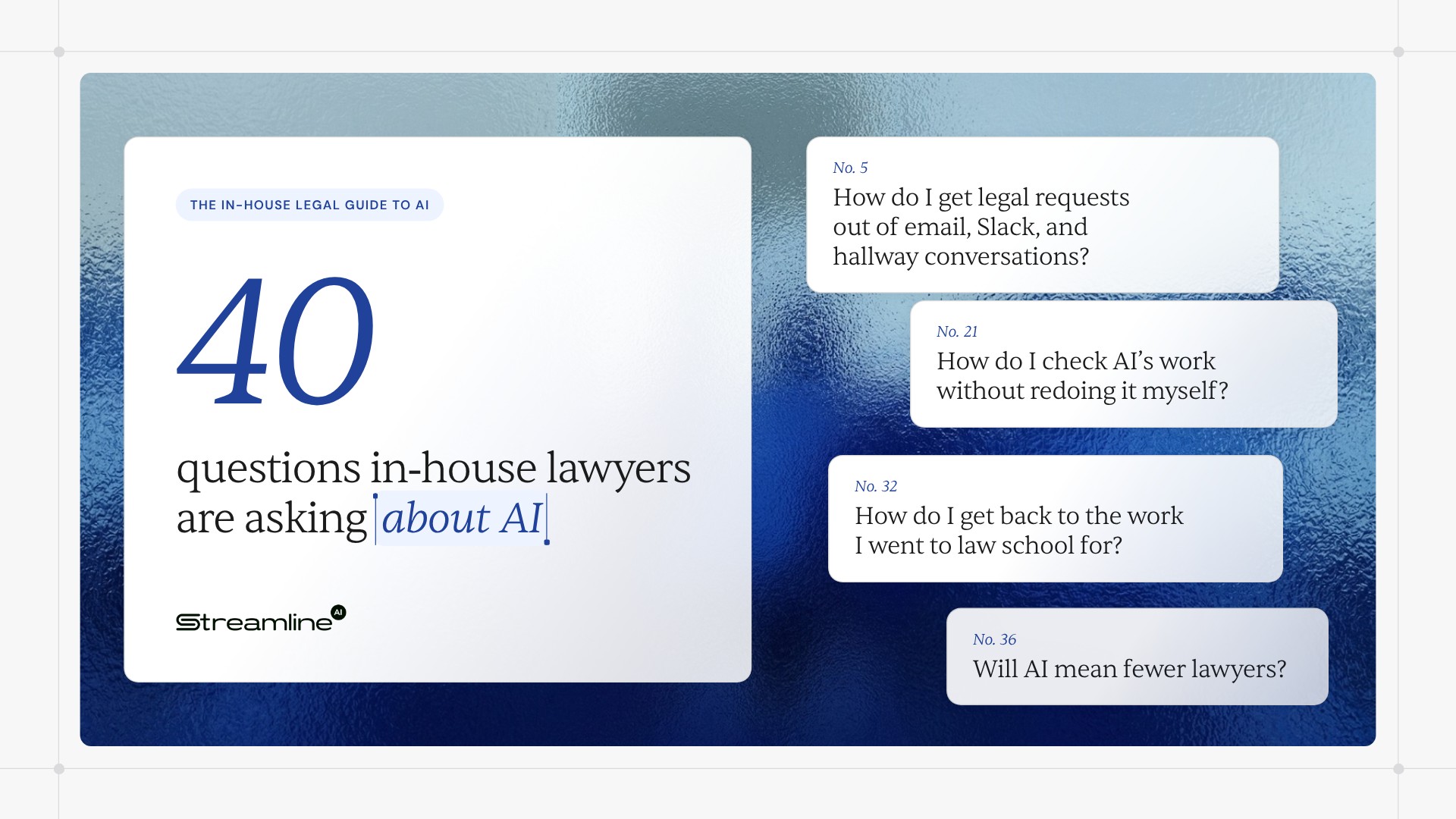
Those questions are just the beginning, though. So we collected the ones we hear most from in-house lawyers. All 40 of them. Some are practical, some are emotional—some are existential.
You don't have to work through them in order. We categorized them so you can easily find the ones that speak to you.
Where we have data, we've included it. The numbers come from two Streamline research studies: The True Business Cost of Legal Friction, a 2026 survey of 467 business professionals who work with in-house legal, and the 2026 Legal Efficiency Benchmark, which scored in-house legal teams on how they operate.
Getting good at AI
1. How should in–house teams think about AI?
Think of AI as a fast, tireless junior colleague.
It's great at first drafts, summaries, sorting, and anything with a clear right answer.
Like a junior associate, it needs clear instructions, the right context, and a senior lawyer checking its work. Your job becomes directing the routine work and reviewing it. That leaves more of your day for the judgment calls only you can make.
2. What should in-house attorneys actually be using AI for?
Use AI for work where the right answer is already written down.
For most in-house teams, that means sorting and routing requests, answering policy questions from approved guidance, drafting from your templates, summarizing long documents, and checking contracts against your playbook. NDAs are a great place to start.
Using ChatGPT in a secret browser tab to clean up emails isn’t enough. The bigger payoff comes when you build AI into how requests move through your team.
Novel issues, negotiation strategy, and high-stakes judgment still need a lawyer. That's the part you went to law school for.
3. How do I get good at AI when I barely have time for lunch?
Use it on real work, a little every day.
Reading about AI won't make you good at it. Neither will one 60-minute webinar (but this one is a good start). Pick one task you do every week, like summarizing a contract or drafting a first response, and run it through AI every time for a month.
Then share what works. Keep a team library of prompts and examples that got good results, and spend ten minutes of your team meeting on what people tried. Vendor training, in-person and virtual CLE courses on AI, and peer groups of in-house lawyers can fill in the rest.
4. What do I tell my CEO when they ask about legal's AI plan?
Start with your workload, then match AI to it.
List your most common request types, how many you get, and how long each one takes. The high-volume, low-risk ones are your first AI use cases.
A good plan fits on one page: the problems you're solving, your first two or three workflows, your guardrails for data and review, and how your team will build its AI skills.
That page is what your CEO actually wants when they ask, "So what's legal doing with AI?"
Building the foundation
5. How do I get legal requests out of email, Slack, and hallway conversations?
Give the business one front door for legal requests, and route every channel into it.
Right now, requests probably show up by email, Slack, Teams, text, and the occasional ambush at the coffee machine: "Quick question, do you have a sec?" It’s never a quick question.
That chaos has a cost. In our 2026 Legal Efficiency Benchmark, 71% of low-performing legal teams handled requests ad hoc, and scattered intake was the clearest sign of a low-efficiency team.
The front door can be a simple intake form. It works even better when people can submit from Slack, Teams, or email, the tools they already live in.
One queue also makes AI useful. AI can't sort, route, or answer a request that's buried in someone's inbox.
6. How do I prove my in-house team is underwater?
Track three things for every request: what type it is, who asked, and how long it took.
Once everything comes through one front door, those numbers pile up on their own. A month of data is enough to start.
You'll see which requests eat the most hours, which teams send the most work, and where things sit waiting. That's how you prove you're underwater. It's also a map of where AI will save the most time.
7. How do I get routine legal work off attorneys' desks?
Decide which requests don't need an attorney's judgment, then route them elsewhere.
Some can go to self-serve templates. Some can go to a paralegal or legal ops. A lot of it can go to AI, with a lawyer reviewing the exceptions.
The test is simple. If an attorney's judgment doesn't change the outcome, why is an attorney doing it?
The business feels it, too. In our Legal Friction Report, 63% of business professionals said they wait four or more business days for a routine contract. Routine work sitting in an attorney's queue doesn't help.
8. How do we stop answering the same legal questions over and over?
Write down the answer once, then let AI deliver it.
Start with your top ten. Who can sign this? Which NDA do I use? Does this vendor need a security review? You've answered that last one 500 times, at least.
Put the answers where people ask: in your intake flow or a Slack or Teams channel. An AI assistant can answer from your approved guidance and send anything unusual to a lawyer.
9. How do I stop answering Where's my contract? and other status requests?
Let people check status themselves.
Right now, most of them can't. In our Legal Friction Report, 80% of business professionals said they have zero or limited visibility into where their legal request stands. So they Slack you. Constantly.
When every request shows its stage, owner, and next step, nobody needs to Slack you to ask. They can just look.
Automatic updates help, too. A quick notification when a request moves to review, goes to the other side, or gets signed answers the question before anyone asks it.
No, Brad from Sales, it still isn't signed. But now you can see that for yourself.
10. Does AI need a written legal playbook to work?
Yes. AI can only follow positions you've written down.
If your standard terms and fallbacks live in one senior attorney's head, AI will give generic answers. And that senior attorney will never, ever get a vacation.
Start with your most common agreement. For each key clause, write down your standard position, your acceptable fallbacks, and what always needs a lawyer. That one page lets AI review routine contracts the way your team would. Check, test, and iterate the playbook(s) over time. The more data you give it, the more accurately it will adhere to your past precedent and policies.
11. What do I do about contracts scattered across five different places?
Move signed contracts into one searchable repository, and capture a few key details for each: counterparty, dates, renewal terms, and owner.
AI can answer questions about your contracts and flag renewals—but only for contracts it can actually find. "I think it's in Dave's folder" is not a document management strategy.
You don't have to clean up every old contract at once. Start with active agreements and anything renewing in the next year. Then send every new signed contract to the same place.
Choosing the right tools
12. Every legal tech vendor says they're "AI-powered." How do I tell the tools apart?
Intake tools capture and route legal requests. Contract lifecycle management (CLM) tools store contracts and move them through drafting, approval, and signature. Matter management tools track matters, spend, and outside counsel. AI legal tools draft, review, summarize, and answer questions.
Confused yet? Don't worry. Every vendor now calls itself "AI-powered," so it's confusing on purpose. Yes, Streamline AI is a legal tech vendor (we're aware of the irony).
Start with the problem you need solved first. Then make every vendor show AI doing that exact task, on your own documents, live.
It's worth getting this choice right. In our 2026 Legal Efficiency Benchmark, teams using purpose-built legal operations platforms performed 70% to 83% better than those who weren’t. That was the single biggest performance gap in the report.
13. What if our systems don't talk to each other?
Choose tools that plug into what your business already uses: Slack, Teams, email, your CRM, and your CLM (if you’re using one).
Ask every vendor which integrations are pre-built out-of-the-box and which require custom work.
The goal is a request that moves from intake to signature without anyone copying and pasting between systems. AI works better that way, too, because it can see the whole picture and work seamlessly.
14. We bought a legal tech tool before, and nobody used it. How do we avoid that again?
Choose tools that fit how people already work, and plan adoption before you sign anything.
Most legal tech dies because the business has to learn another new system just to ask legal a question. They won't. They'll email you instead.
Before you buy, ask: Can people submit requests from tools they already use? Can we launch in weeks (instead of months)? Who on our team owns rollout, and how will you support our implementation?
Rollouts without a dedicated owner and champion are rarely successful.
15. Can we launch a legal tech solution without a legal ops person?
Yes. Pick a vendor that does most of the setup for you, and start with a single workflow.
Ask who configures the system, how long it takes, and how many attorney hours it needs. If the answer is "you'll configure it yourself," that's a lot of homework for a team that's already drowning.
Then name one owner on your team, even for a few hours a week. Small teams pull off great rollouts all the time. The trick is partnering with a vendor that brings the expertise and keeps the initial scope manageable.
16. Where will I find the time to set up a legal tech platform?
It's the classic problem. You're too busy doing the work to set up the thing that would take the work off your plate.
Treat setup as a short, fixed investment that buys back time every week after, in perpetuity.
Block a few hours a week for a set period, and protect that time like a client deadline. Start with the workflow that costs you the most hours today. Once AI takes that one over, the time it frees up pays for the next one.
Earning trust and budget
17. My team is already using ChatGPT on their own. Is that a problem?
It is if you don't have a policy and guardrails in place. So write a short AI use policy for your legal team. Today.
It should cover which tools are approved, what information never goes into them, and when a lawyer has to review AI output before it's used.
Then give your team an approved tool that actually fits their work—with an enterprise license. People use ChatGPT on the side because they need the help. Give them a safe option, and the shadow AI comes out of the shadows.
18. How do I get a legal AI tool through IT and security review?
Bring IT and security in early, and show up with answers.
Ask the vendor for its security documentation up front: certifications like SOC 2, where data is stored, and who can access it. Any vendor worth buying will have this ready and likely advertised on its website. If they have to "check with the team," take note.
Share the business case with IT, too. Reviews move faster when the reviewer knows what problem the tool solves.
19. Does using AI put privileged or confidential data at risk?
It can, depending on the tool and how it handles your data.
Before you use any AI tool for legal work, find out where it stores your data, whether it uses it to train models, and who at the vendor can see it.
Choose enterprise tools with clear contractual commitments on confidentiality and data use. And never paste the secret merger agreement into a free chatbot. That advice is a freebie.
20. Can I actually trust AI with legal work?
You can trust it with well-defined tasks, with well-defined guidance (playbooks)—as long as a lawyer checks the output.
Trust grows when you can see how the AI got its answer: which sources it used, which playbook position it applied, and where it's unsure and specifically flagged a human for review.
Start with low-risk work and check closely. Expand as the accuracy holds up. That's how you'd treat a new associate, too.
21. How do I check AI's work without redoing it myself?
Review against a standard.
When AI compares a contract to your playbook, check the issues it flags and spot-check a sample of what it marked as standard. You don't need to reread every word. If you're rereading every word, you've built a very expensive spellchecker.
Ask for output that shows its work: the clause it relied on, the position it applied, and how confident it is. Review gets fast when you can check the reasoning at a glance.
22. How do I get budget for legal headcount or tools?
Show the cost of the current workload in terms leadership cares about: deal speed, risk, and expensive outside counsel spend.
Use your request data to show volume, turnaround time, and how much attorney time goes to routine work. Then tie the ask to a specific outcome, like "with the right investment, we can turn standard sales contracts around in two days."
Here's a number that gets a CFO's attention: in our Legal Friction Report, 55% of business professionals said a legal delay cost them a deal or caused one to slip in the past 12 months. That's a revenue problem, and CFOs care a lot about revenue problems.
CFOs love a specific outcome. They're less moved by "please, we're tired."
If headcount isn't happening, show how AI can handle the routine volume a new hire would have taken on.
Making AI work day to day
23. Why is AI's output on my contracts so generic?
Because the AI doesn't know your positions yet.
A general-purpose AI tool applies general market terms. So you get general market answers, which isn’t very helpful.
It gets specific when it can use your playbook, your templates, and your past decisions. Use a legal AI tool that learns from your approved positions, and update the playbook whenever your team makes a new call. Next time, the same decision comes back automatically. Remember, the more data you can feed your AI, the better.
Your prompts matter, too. Tell the AI exactly what you’re working on (context), what your standard position is, and what a good answer looks like. "Review this NDA" gets you a book report. "Review this NDA against our playbook and flag anything outside it" gets you something you can use.
24. Should legal write the company's AI policy?
Legal should lead it, with IT, security, HR, and business leaders at the table.
Legal brings the risk view. But a policy only works if it fits how each team actually uses AI. A 40-page policy nobody reads protects exactly no one.
Keep version one short: approved tools, data that never goes into AI, when a human has to review output, and who to ask. Bonus: if legal has already rolled out AI for itself, you've lived the policy before asking anyone else to.
25. How do I change how the business asks legal for help?
Make the new way easier than the old way.
If submitting a request takes ten clicks in a new system, people will keep emailing their favorite attorney. Forever.
Meet people in the tools they already use, and tell them what's in it for them: faster answers and status they can check themselves. Have business leaders announce the improvements alongside legal.
Then be consistent. When a request shows up the old way, point it to the new front door. Every. Single. Time.
26. How do I get the business to follow our policies?
Build the policy into the process so following it is the default.
Fair warning: plenty of business stakeholders already go around you. In our Legal Friction Report, 66% of business professionals said they bypass formal legal channels at least occasionally. Among directors and VPs, it's 88%.
When the intake flow asks the right questions, and AI routes approvals automatically, people follow the policy without having to remember it. Which is good, because they weren't going to remember it.
And tell people why each step exists. A sales leader who knows the security review protects the deal is a lot more patient about it. Track who goes around the process, and schedule a friendly chat.
27. What about attorneys who prefer the old way of working?
Show them what AI takes off their plate.
Attorneys love tools that remove the work they hate: status emails, chasing signatures, answering the same question for the 50th time.
Get your most skeptical attorney involved in choosing and testing the workflow. Skeptics make the best testers. And once they're on board, everyone else follows.
28. What legal metrics should I report to leadership?
Report the numbers that connect legal's work to business outcomes: request volume, turnaround time by request type, share of requests handled with AI, hours saved, and outside counsel spend.
Most teams can't report this yet. In our 2026 Legal Efficiency Benchmark, 79% of low-performing teams didn't track cycle times. It’s hard to prove you're getting faster without concrete before-and-after data to back it up.
Add one or two numbers your leadership already obsesses over, like contract cycle time for sales deals.
Keep it to one page, report it every quarter, and show the trend. If your turnaround time is decreasing while volume goes up—there’s no slide deck required.
The human side
29. Why does my in-house legal team always feel behind?
Because demand for legal work grows faster than legal teams do.
The company adds deals, vendors, products, and markets. Requests multiply. Headcount stays exactly where it was.
Our 2026 Legal Efficiency Benchmark found the breaking point. Once a team hits 10 or more requests per lawyer per week, efficiency drops 28% to 31%. Only about 10% of legal teams scored in the high-efficiency range. You're in good company.
So if you feel behind, that's the inefficient system talking. The fix is changing how work reaches your team and which work needs an attorney at all. Staying later simply isn't a strategy.
30. How do we stop being the Department of No?
Be fast and predictable on routine work, and say yes with conditions on everything else.
In our Legal Friction Report, 52% of business professionals described legal as a checkpoint that slows momentum or an outright bottleneck. The good news: the other 48% already call legal a strategic partner.
Businesses judge legal mostly on speed and clarity. Turn the simple stuff around quickly, and the reputation starts changing on its own.
When you do have to push back, explain the risk in business terms and offer a way forward. "We can sign if we cap liability at the contract value" keeps the deal alive. It also proves legal is on the business's side. Because you are.
31. How do I push back on deadlines without feeling guilty?
Agree on service levels in advance, so pushing back is just following the process.
When everyone knows a standard vendor agreement takes three business days, holding that line is fair to everyone else in the queue. That's just policy.
And when something really is urgent, ask what can move to make room. Saying yes to everything just sends the bill to your evenings and weekends. That’s not fair to your family, friends, or yourself.
32. How do I get back to the work I went to law school for?
Protect that work at all costs.
Strategic work is always the first thing to get bumped when routine requests pile up. It needs time on the calendar and fewer interruptions.
Hand the admin around legal work to AI: intake, status updates, chasing signatures, and repeat answers. Every hour that comes back goes to the work you were actually hired for.
You didn't go to law school to chase signatures. At least, we hope not. That's a lot of tuition.
33. How do I keep up with AI when it changes every week?
Focus on the problems you need solved, and let that filter the noise.
Every time you scroll LinkedIn, someone's launching a new "AI for legal" thing. Most of it doesn't matter to you. The launches worth your attention are the ones that fit your team's top two or three problems.
Set aside a little time each month to try one new tool, task, or approach. Ask peers what they're using. An hour of hands-on beats a week of doomscrolling.
34. How do I advise the business on AI when I'm still figuring it out myself?
Be honest with yourself and the rest of the business—and learn in the open.
Nobody at your company has years of experience with today's AI tools. Nobody. Including the guy in Marketing who keeps calling himself an "AI thought leader."
What the business needs is an advisor who is careful and curious. Use Legal's own AI rollout as your training ground. Once you've tested tools, written a policy, and seen where AI gets things right (and wrong), your advice comes from experience.
35. What if AI makes a mistake with my name on it?
Design for it.
Keep a lawyer reviewing anything outside your playbook. Set clear limits on what AI handles alone. Make every AI action visible and easy to undo.
Start with low-risk work and check closely in the first few weeks. In a well-built process, you catch mistakes early. Often earlier than in the current process, where work is scattered across six inboxes and a sticky note.
36. Will AI mean fewer lawyers?
AI is taking over routine legal tasks, and it's making in-house lawyers more valuable.
Judgment, negotiation, business context, and accountability still sit with lawyers. Nobody wants a chatbot explaining to the board why the deal fell apart.
Teams that use AI well take on more strategic work without growing headcount at the same pace as the business. That makes legal more valuable, and harder to cut.
37. If AI writes the first draft, how will junior lawyers learn?
Make review the training.
Junior lawyers learn a ton by checking AI drafts against the playbook, explaining what they'd change, and talking it through with a senior attorney.
And when AI handles the repetitive drafting, juniors get into negotiations and advice calls sooner. Honestly, that's a better apprenticeship than marking up NDA number 300.
38. What if I champion a tool and nobody uses it?
Lower the risk by starting small and defining success up front.
A narrow pilot with a clear goal, like getting NDA turnaround to one day, is easy to measure and easy to fix.
Share progress openly, including what isn't working. Leaders remember the person who ran a careful, honest pilot—whatever the outcome.
39. How do I keep my legal team from burning out?
Cut the low-value work, and make the workload visible.
Burnout comes from overload with no end in sight. And a lot of that load is admin work AI can take on.
Our 2026 Legal Efficiency Benchmark supports this. The teams buried in manual work were the ones without centralized intake, automation, or visibility. Burnout is a systems problem, and you can fix systems.
Use your request data to spread work fairly. Protect time off with real backups. Get rid of the tasks your attorneys find most draining. Keeping good people costs a lot less than replacing them.
40. How do I get leadership to notice when things get better?
Tell them. With numbers. On a schedule.
When legal improves, it mostly shows up as problems that never happened. Nobody throws a party for the lawsuit that didn't happen. So you have to point it out.
Share before-and-after results: faster turnaround, hours saved, and lower outside counsel spend. Give credit to the business partners who helped. Then connect every win to a goal leadership already cares about.
Where to start this week
That's 40 questions and at least a start on how to answer them effectively.
Pick the one question that sounds most like what you’re facing or feeling, and start solving it. For most teams, that step is giving the business one front door for legal requests. AI can only help with work it can see.
Streamline AI puts AI to work for in-house legal teams. It takes requests from Slack, Teams, and email, routes each one to the right person, and automatically runs approvals, escalations, and deadlines. Your lawyers get back to the work only lawyers can do.